Hello, I have an old Boss BX-60 mixer with 117V and 40/50 Hz on the spec plate on the back
I used it in a 120v country.
I am now in a 230v country, and can use it with a transformer.
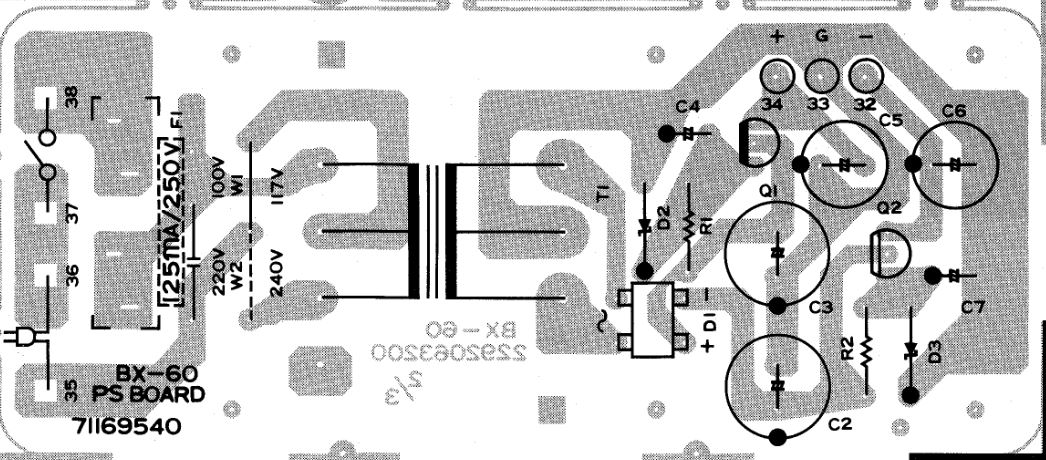
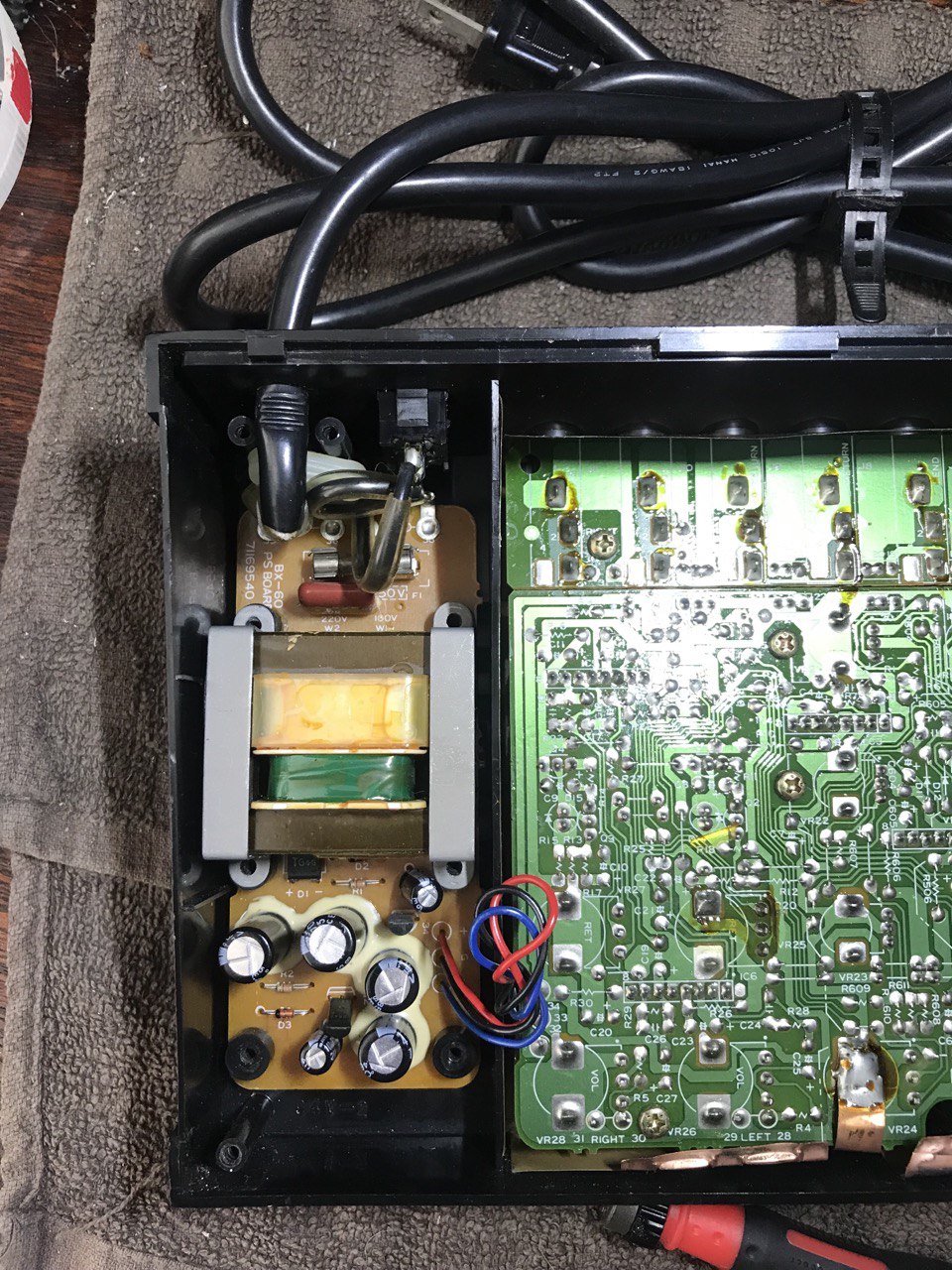
I took a look inside and noticed that there seems to be an option to change the voltage from 100v to 220v.
The photo shows 220v with W2 underneath and 100v W1 underneath.
No idea how to do this (bar something to do with swapping over the voltage wire?), hence this post.
What is the process?
Thanks.
You’ve got it right.
Simply remove the wire on W1 and move it to W2.
Then the transformer’s primary will be set to 240V.
You’ll need a soldering iron, of course.
I was reminded of this the other day as I had to do the same with a vintage Hi-fi amp I have. Thankfully, I found one easily on eBay for that.
Unfortunately, local electrical shops where I am no longer exist. The last one closed around 5 or 6 years ago.
My only option is online.
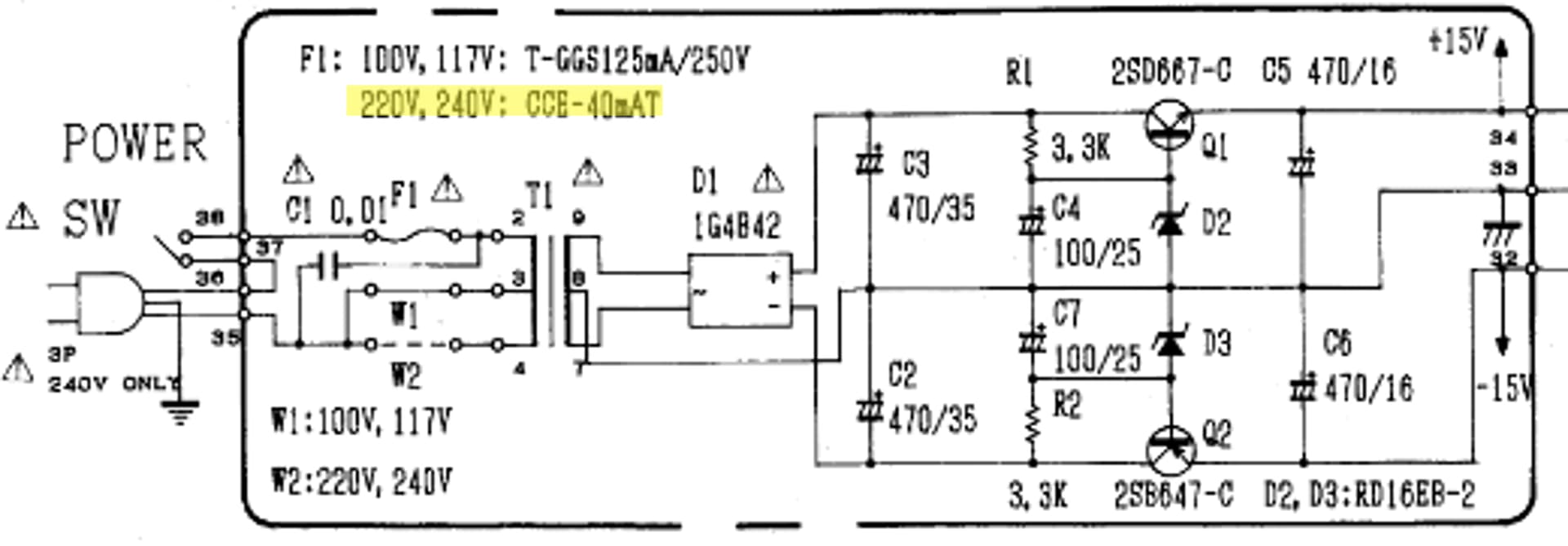
I did a search of CEE-40MAT and could not see anything related to fuses.
A problem I have right now is being able to take the board out. I unscrewed the screws and the top end away from the power cable, the board won’t budge. It is like there is a hidden screw, or it is glued? As all the casing is plastic, I have to be careful.
Looking at the service notes, it looks like there are 7 screws, but only 6 are visible on the actual board - one to the side of D3 doesn’t seem to exist, unless the drawing is out of scale and it is the shaft for the casing? (I also removed the screws holding the power cable in place at the top).
Apologies, I only looked at the power supply circuit board (where 125mA was printed) ! The schematic does specify a 40mA fuse for 240V, so what you ordered will work fine.
From the photo, you’ve removed all six screws. I don’t think there are any others. The PSU PCB needs to come out of the housing. They may have applied a little polyurethane to prevent the board from moving under the weight of the transformer. By forcing the transformer a little, it should pop out.
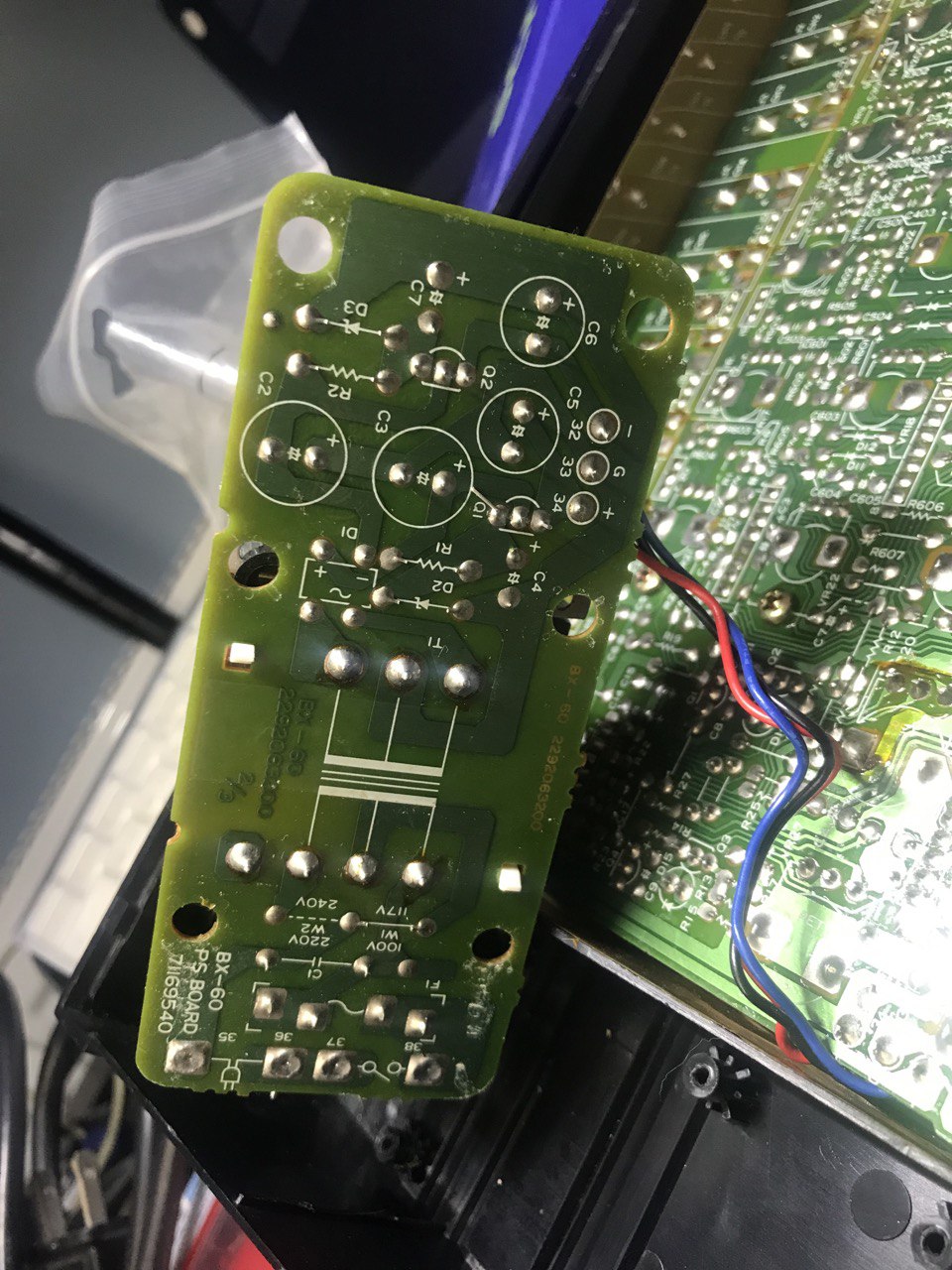
Once you’ve extracted the board, you’ll be able to access the two solder joints for the wire in question and move it.
I managed to remove it. Probably the first time in 37 years. It took about ten minutes of moving the board gently up and down. It felt like the top screws were seized. I changed the wire.
I should get the fuses within the next 3 days.
Here is a photo of the underside: