Okay, so I picked up a VFX that had supposedly been repaired and had the keyboard problem and some other stuff fixed, and it’s been a huge pain. I ended up REfixing the keyboard connection, replacing a slider, and fixing up a bunch of random careless reassembly mistakes.
At this point it plays nicely, keyboard is all good, display is good, controls are good, and it’s just great until I try to load in sounds from cartridge or sysex.
If I drop in a cart and try to select sounds, I get garbled patch names, blank patch names, and just odd behavior. They usually don’t actually play. Same with sysex-- I can dump a bank to it, but the memory gets filled with random junk. You can see some parts of the patch names, but it’s like maybe a third of the data actually gets there.
Resetting memory works, though. The presets are there and play nicely.
Does anyone have any idea what’s up here? I assume there’s a bad trace I didn’t spot or an IC that’s hosed. I’m not afraid to bring out the desoldering gun and replace parts if I need to.
I would be checking the backup battery and replacing it. Sounds like it’s dead. Yamaha’s do the same thing when the battery is dead, garbled patches. The synth just reads from the RAM as it expects it to be working, it doesn’t initialise it on powerup so what you get is just random values.
It’s a coin cell which you can replace with a holder, see parts list here:
You’re right, I should double-check the battery-- it replaced with a coin cell and a holder, but the guy who did the original work did it and considering how many of his “fixes” I had to fix, there’s no guarantee he did that right either.
Befor open again the synth You will try to checking the analog testings (holding RESET + COMPARE).
You can will see the following indicators data:
PICH = xxx (reaction to the wheel)
MOD = xxx (reaction to the wheel)
PED = xxx (127 - not check it if is no pedal insert)
VOL = xxx (response to fader VOL)
KNOB = xxx (response to the buttons)
PSL= xxx
REF = xxx (voltage in operating range 4.9V)
BAT= xxx (252 if the voltage of the new battery = 3.6V)
I snipped one end so I could get the value to order a replacement and you can see that it looks pretty nasty. The cap is all bumpy under the plastic. I’d hoped this had already been done but when I looked closely, nope. There are a couple of others that also look pretty iffy, so I have a box from Mouser arriving tomorrow.
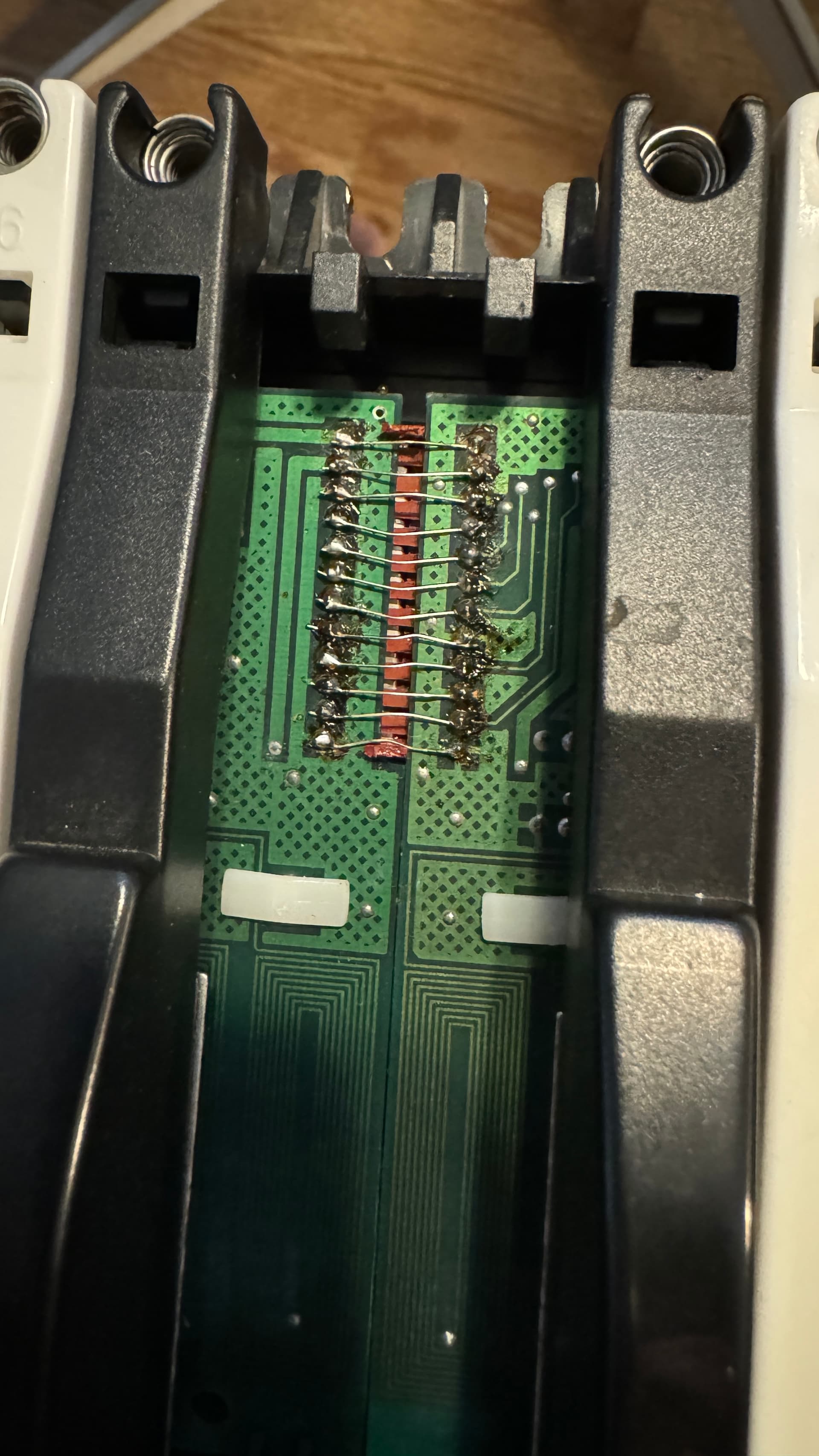
This was the guy’s attempt at a fix for the keyboard connector. Wires that are too long and uninsulated meant if you flexed the keybed at all they’d short out intermittently, and that’s assuming the burnt pcb still works at all.
This is one of the weak points of VFX, but not the only one… it’s a shame when you buy a second-hand synthesizer like this and it has such amateurish quality of repair…
You are on the right but thorny path of restoring your synthesizer!
Yeah, I just wanted to have one that had already been fixed. I got a refund at least, and it’s a nice project. At least that display is still good-- I wouldn’t want to have to replace that giant VFD.
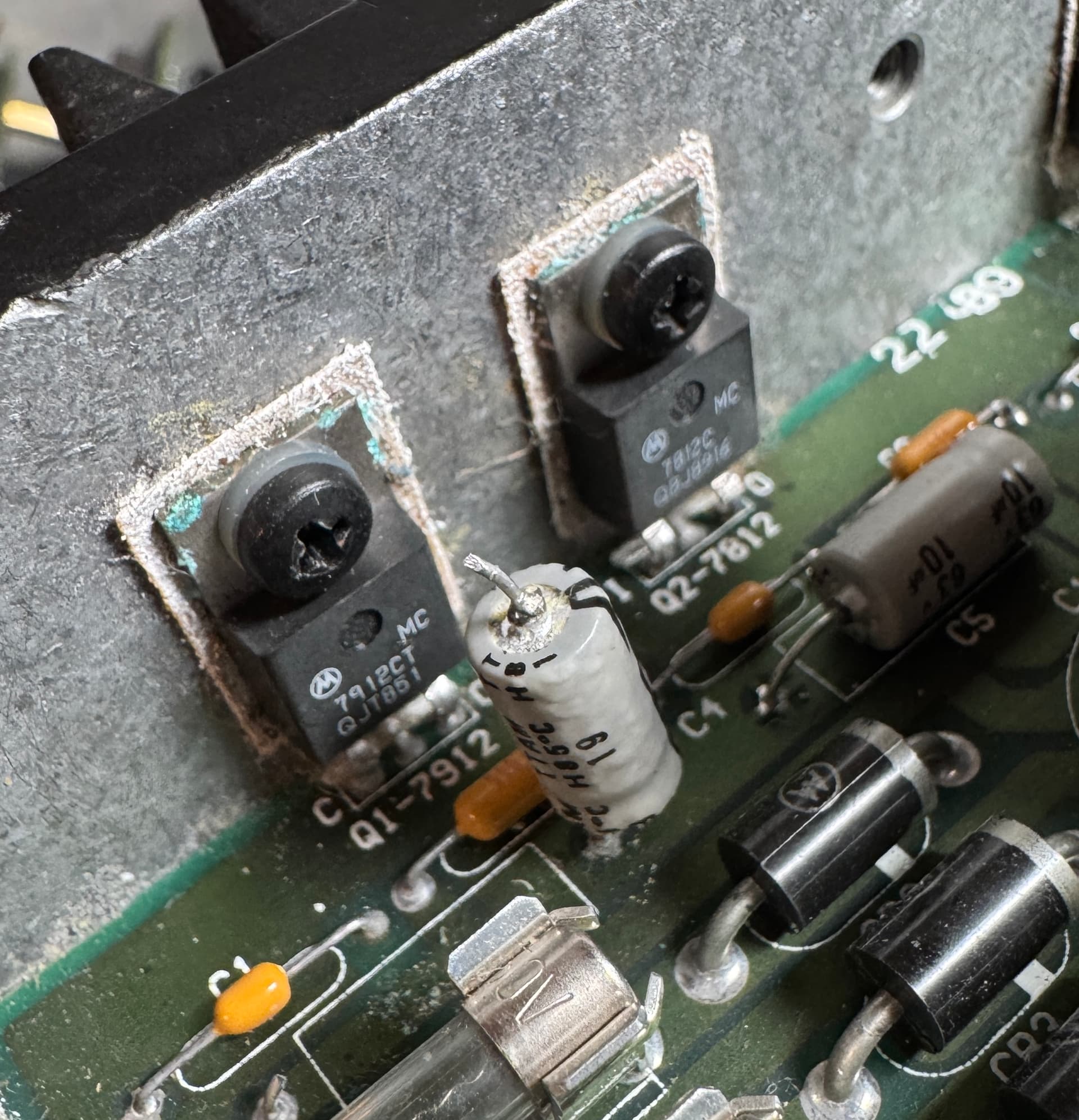
And, PSU recapped and it has the same problem-- turns on only once out of about 3 or 4 switch flips (and it does have the little capacitor fix from the service manual) so the next thing is to swap out the 4 regulators along the back that have the corrosion on their heat sinks. While pulling the caps I found some more delicious capacitor juice on the PSU board so I cleaned that up. No damage to the traces, at least, but at least a few of the caps were toast. Now they’re nice and new and doing what they should, but the cartridge still doesn’t read properly and the turning-on problem is a little worrisome.
I’m waiting for Syntaur to ship the regulators (which I ordered from them to avoid getting lost in Mouser part lists) so that’s probably a project for next weekend.
The cartridge issue is may be due to Flat ribbon-bus witch degradation of connection, and tracks may be broken. check it for continuous circuit.
So what about display? witch you commented as
I wouldn’t want to have to replace that giant VFD.
it difficult to found out, and am loocking for same OEM new or old stock parts w/cheap delivery to Russia
I’ve swapped out the cartridge slot and ribbon cable. I suppose it’s possible that the cartridge is bad, but then I don’t think MIDI sysex would also do the same thing. I’ll take a closer look at the logic board too.
I replaced all the power regulators in the PSU and now it powers up 9 out of 10 times instead of 1 out of 3.
The cartridge port still doesn’t seem to work. I’ve swapped the cable and actual port and the same problems persist. At this point I’m not convinced the actual cart isn’t bad somehow. But I HAVE managed to send it a sysex dump and get it to receive it and load patches over MIDI! It didn’t used to do that properly, so that’s pretty great.
On the other hand, now it does some super weird stuff like reboot when you plug in or unplug a midi cable. I have no idea what’s up with that. I’ve been hesitating to pull the logic board because I don’t want to take everything apart again, but I think that’s the next step. The crystal needs to be replaced, if nothing else-- the little can has some corrosion on it. (Looks like Syntaur sells them, so that’s nice, and saves me poking through mouser parts lists.)
I’m going to put it off for a while, though. I don’t want to have to pull the keybed and everything in order to check out the logic board… I’m sure once I look more closely I’ll see more problems there too.
On the vintage synth forum all possible symptoms and methods of diagnosing the VFX/SD motherboard were described in great detail, read it, maybe you will find something useful for your case.


 I got a refund at least, and it’s a nice project. At least that display is still good-- I wouldn’t want to have to replace that giant VFD.