[Yamaha] [MOXF8] – [FFC ribbon will not seat fully in non-latching connector]
Summary (Main Issue)
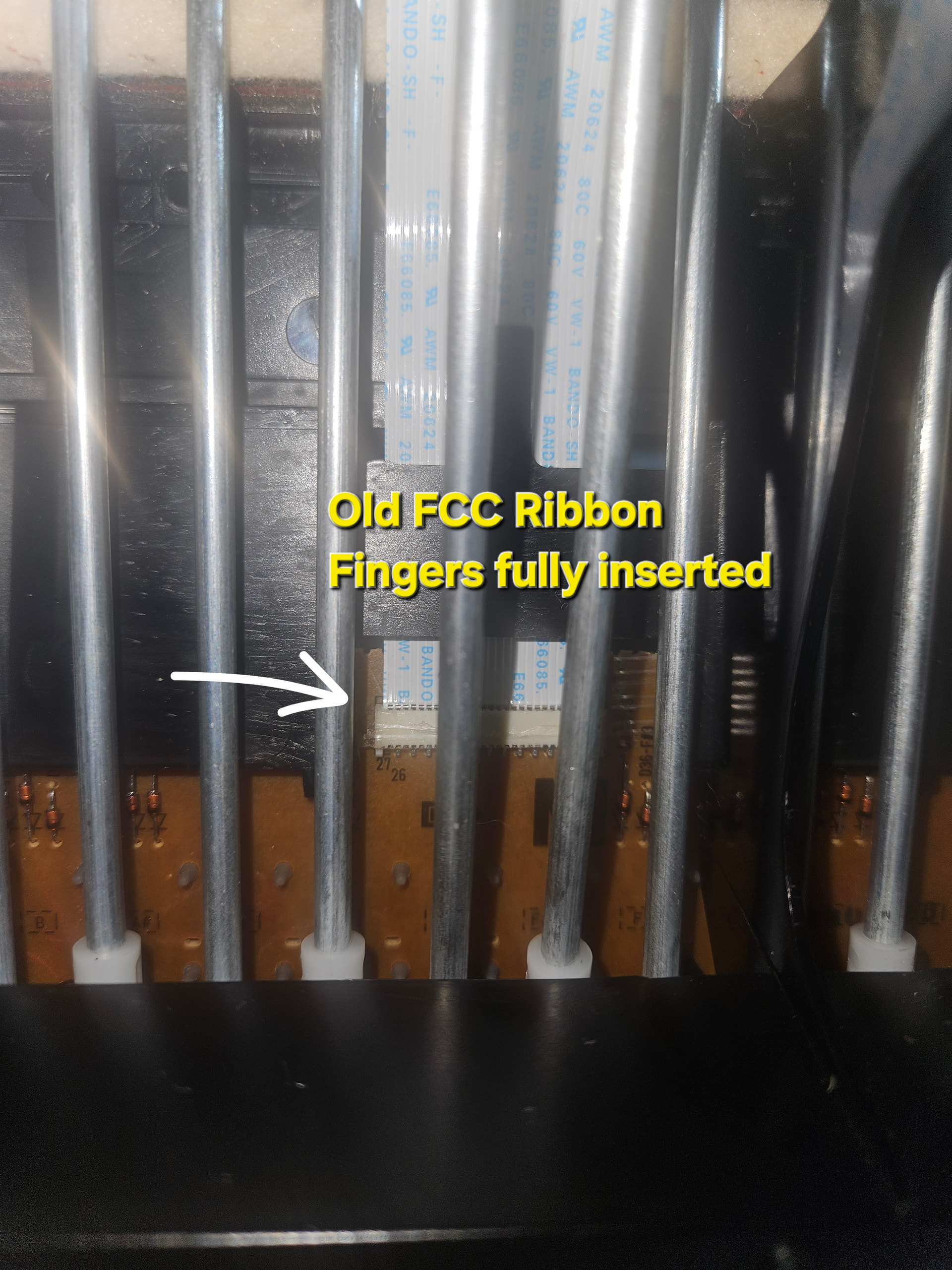
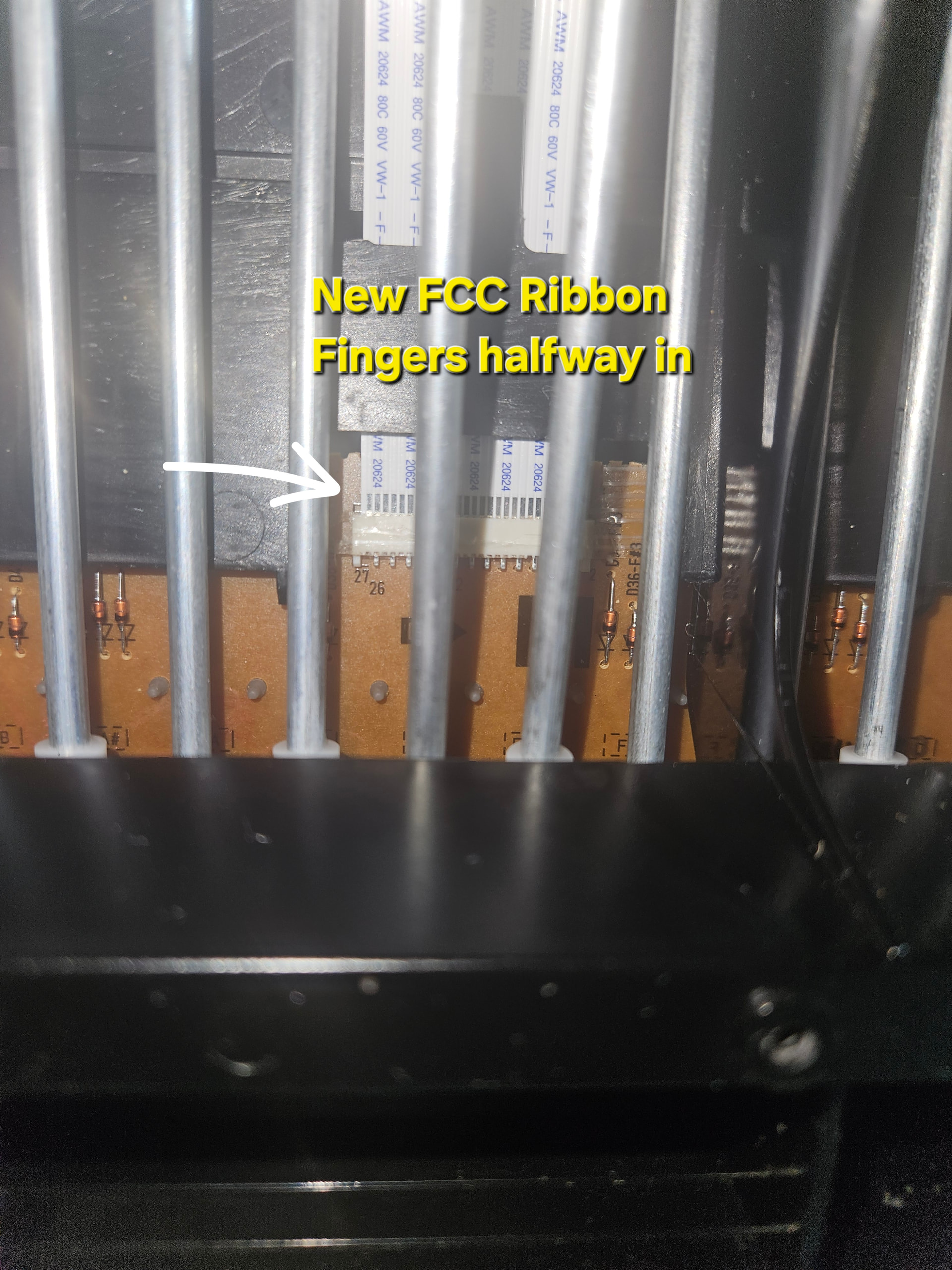
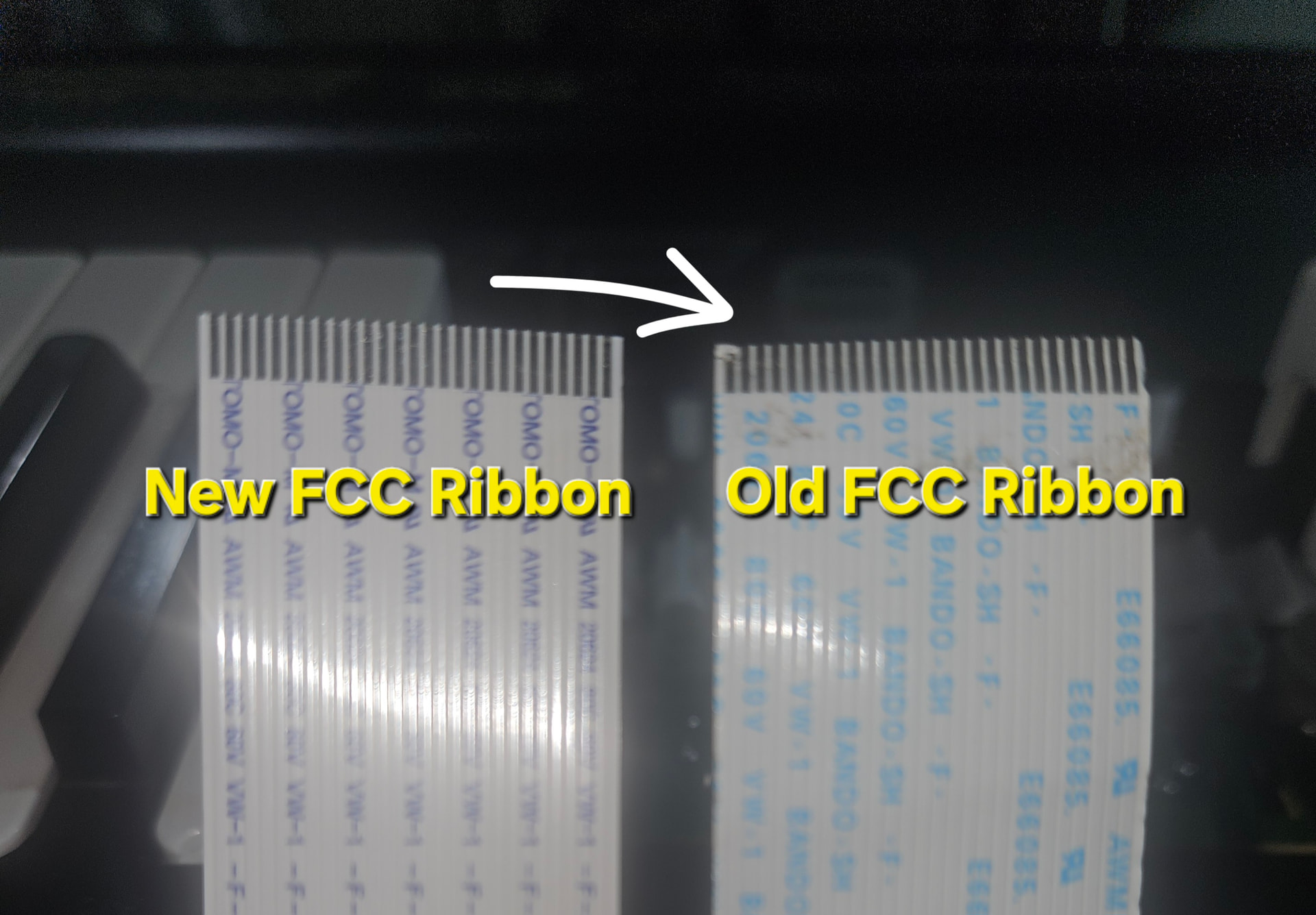
I am attempting to install a replacement FFC ribbon cable for a Yamaha MOXF8 keybed (Yamaha part MFA27201, Syntar part 11753). The ribbon aligns perfectly with both non-latching FFC/ZIF-style connectors (keybed and mainboard), but will not slide fully into either connector without force, even with careful alignment and minimal pressure. I do not want to force insertion and risk bending the contact fingers or damaging the connector. Photos of the old and new ribbons are included for comparison.
Detailed Description
This issue started while I was trying to fix a single note with incorrect velocity (one note playing noticeably louder than the others). To properly clean the contact, I had to remove the keybed, which required disconnecting the FFC ribbon cable that runs between the keybed PCB and the main board.
During reassembly, I did not reseat the ribbon correctly and ended up bending one of the contact fingers on the original ribbon. That’s what led me to order a replacement.
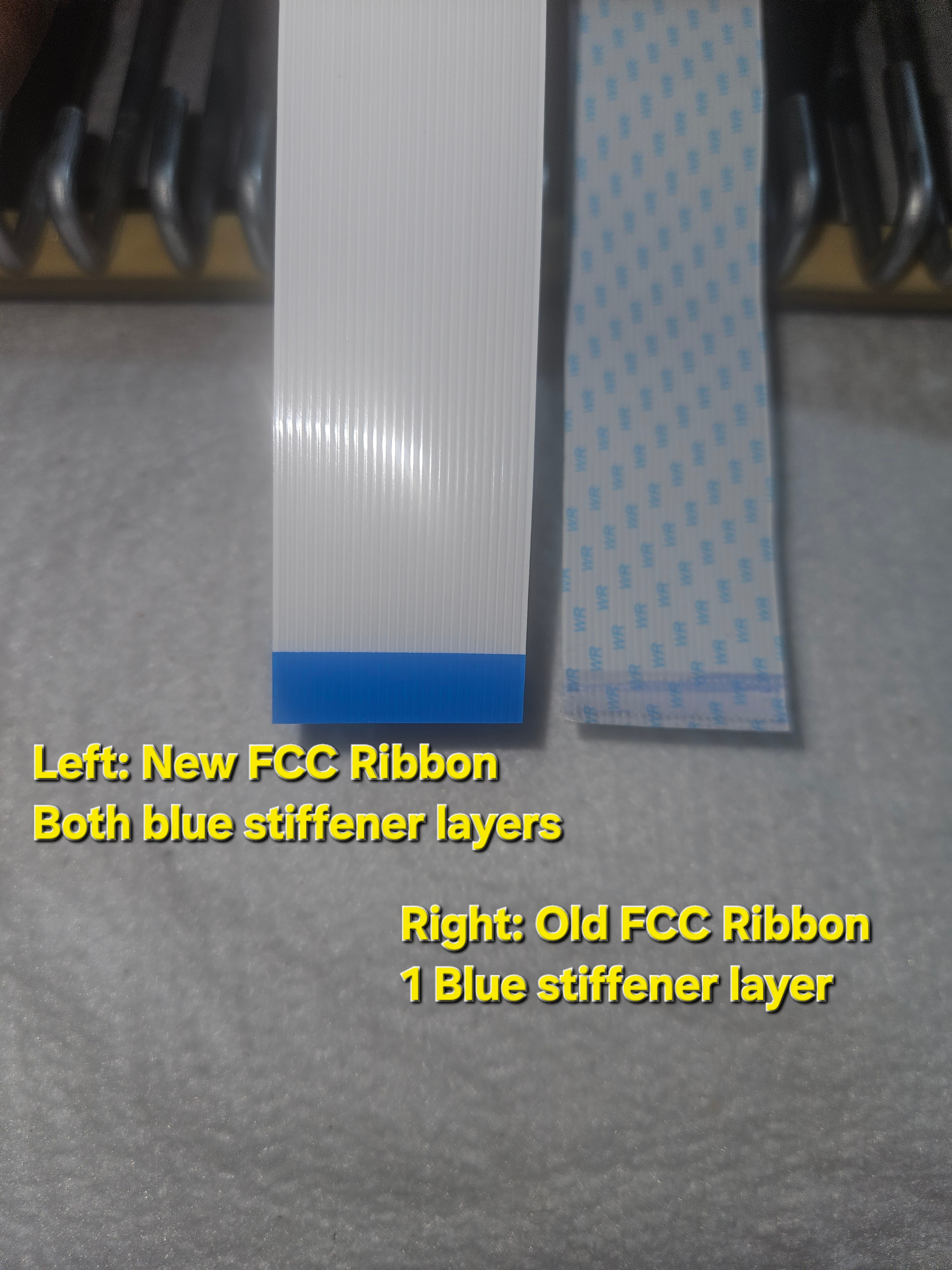
To avoid repeating that mistake, I used the old ribbon to practice inserting and removing it from the non-latching FFC/ZIF-style connectors. I was eventually able to insert the old ribbon, but only after one layer of the blue stiffener separated from each end, leaving a single stiffener layer. With only one stiffener layer remaining, the old ribbon slid into the connector much more easily.
The new replacement ribbon (correct part) still has both blue stiffener layers intact, which I understand are important for proper contact pressure. However, even with perfect alignment, the new ribbon will not fully seat into either connector—not the keybed connector and not the freestanding connector in the case that is easier to access. It consistently stops about halfway in.
I do not want to apply force, because I’m concerned about bending the contact fingers (the middle fingers on the new ribbon appear silver rather than gold, which I don’t believe is significant, but I’m noting it for completeness). I also don’t want to damage the connector itself.
At this point, I’m stuck. The part number matches, the alignment is correct, the stiffeners are intact, and I’ve ruled out debris as best I can. The ribbon simply does not slide in smoothly or fully the way it’s supposed to, and pushing harder feels like it would just cause more damage.
In trying to fix one velocity issue, I’ve created a much bigger problem, and I’m looking for guidance on whether this behavior points to a connector issue, a stiffener thickness issue, or something else I may be missing—without risking another damaged ribbon.
•