JUNO-106 PWM Duty Cycle Calibration Issue

Add tags before posting: brand + model + (optional) fault
e.g., korg, models-korg-m1, no-power
If your model isn’t listed: use models–tbd (e.g., models-korg-tbd) and post the exact model in the pinned “Request a new model tag” thread. We’ll add it and retag.
When your issue is fixed, please mark the reply that solved it (click the ✓ “Solution” on that post).

• Model & revision/OS: Roland JUNO-106
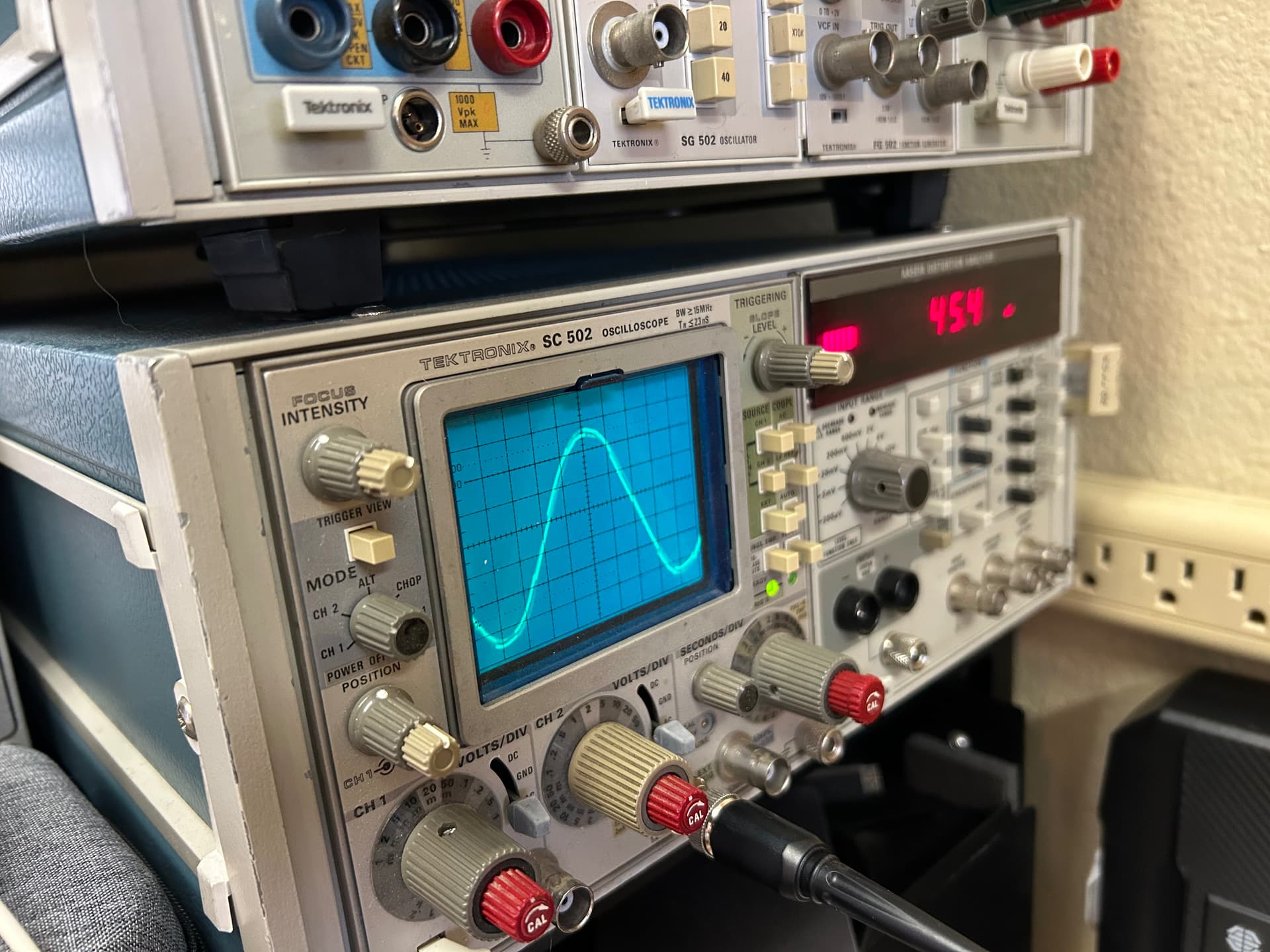
• Symptoms (what changed, when): PWM Duty Cycle calibration: scope reveals combination sine/square wave when probing TP 8~13 rather than clean square wave. See attached pic. This is my first time calibrating this JUNO-106. It followed me home, in need of lots of love, it’s now been comprehensively refurbished/restored and I’m going through the calibration procedures. All good until the PWM Duty Cycle calibration.
• Tests already done (voltages, parts replaced): it’s been completely recapped, power supply refurbished/upgraded, completely refurbished panel board (new sliders, new tactile switches, etc), new key contacts, bender board repaired, it has all new AR voice and wave modules now installed…it’s been gone through. Voices are all working, I can hear duty cycle modulation when the PWM slider is adjusted as well as when VR31 is swept, but I can’t get an appropriate square wave to display on the scope. I double checked using my scope’s calibration test point and get a beautiful and appropriate square wave, so it’s not the scope or user error with the scope. IC17a pin 1 is a non-modulating sine wave…traced that back to pin 2, same…kept going upstream through IC18a pin 14, then pin 12 to IC23 pin 4…all non-modulating sine wave…any other suggestions?

• Photos / audio clips:

Is the filter all the way up? If the filter were down that would explain why you’re seeing a mostly sine-like wave. TP8 is after the filter and VCA so that would make sense. Make sure you’re using the Test Program as described on page 18 of the service manual.

My other thoughts are: those signals on IC17, IC18 and IC23 should not be sine waves. If you are seeing a 60 Hz sine wave or some multiple of that frequency then there is a ground loop (or no ground connection) and you are actually reading modulation from the mains voltage. If that’s the case then you need to use a different ground point with your oscilloscope probe. I think there’s a test point somewhere on the board labeled Analog Ground or similar, attach your ground clip on the probe to that. Warning: never attach the ground probe to something that isn’t grounded, it can damage the synth and/or scope.

Thanks so much for the reply.

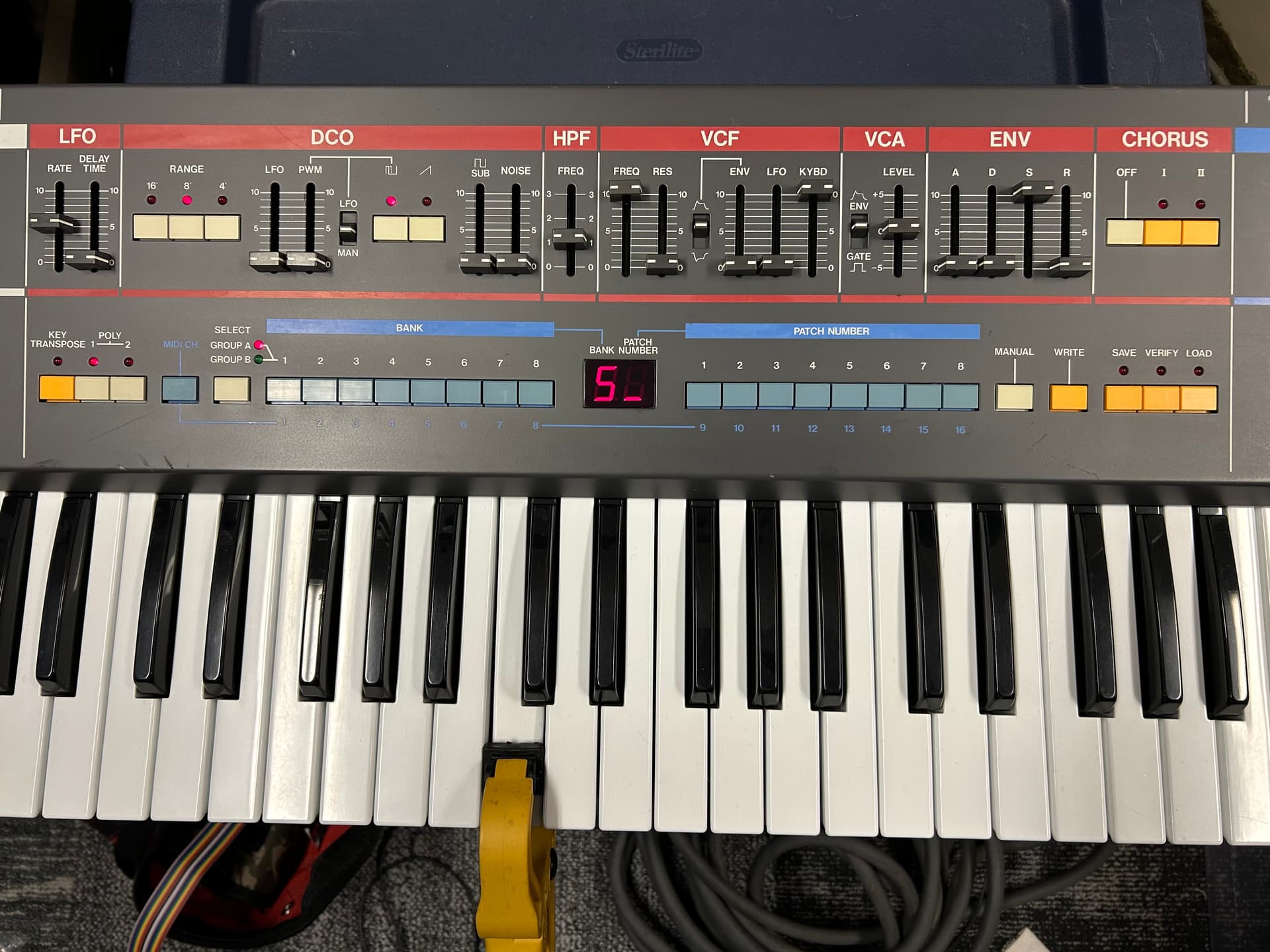
Yes I’m following the Service Notes to the ‘T’, so am in test mode, bank 5 is selected, PWM is switched on…basically everything on the control surface is set as prescribed in the chart on page 18, row 5 for the “PWM 50%” test. So for the filter the frequency slider is set to 10, and the keyboard slider is set to 10…everything else is 0 and the polarity is normal. Pic below.

I attached the scope probe ground reference to the analog ground test point in the upper left section of the module board, and I’ve verified this test point has a low impedance path to the chassis ground.

I’m going to re-check the waveforms at the relevant outputs and inputs of ICs 17, 18 & 23 again.

FWIW this is how the control section appears when I’m conducting the PWM duty cycle test:

You’re welcome! Sounds like you’ve got it set up right. The outputs on ICs 17 and 18 should look more like DC voltages, no waveforms at all. They are the CV signals to control different parameters of the voices and should be a stable voltage corresponding to where the potentiometer is set on the front panel (unless the LFO is enabled for that parameter, then you would see the LFO there).

As a baseline you can measure the +12 V power on the voice board and make sure that reads as a steady 12 V DC voltage. If you see a sine wave there too then it’s definitely something to do with the oscilloscope. Perhaps try a different probe.

I haven’t rechecked the inputs/outputs of ICs 17, 18 & 23 yet, but I can affirm the +/-15V and +5V rails are rock stable all the way to the ICs’ respective power inputs. I spent a decent amount of time with the recapping and upgrades on the power supply…improved the heat transfer capability between the semiconductors at the heat sink, new power transistors for the +/-15V rails and new M5230L regulator, new +5V regulator, added crowbar protection at the outputs of the +/-15V rails, all calibrated and checked according to the Service Notes and is stable and happy under load…very low ripple at the outputs.

I’ll re-check the CV path back from the output of 17b with the scope and report back. BTW I understand what you are suggesting about the probe, but it’s a newer probe I’ve used on a ton of work, scope displays proper and beautiful square wave when I probe the scope’s calibrator. I don’t believe it’s the scope or the probe. But I’m keeping an open mind.

Again, thanks much for the engagement.

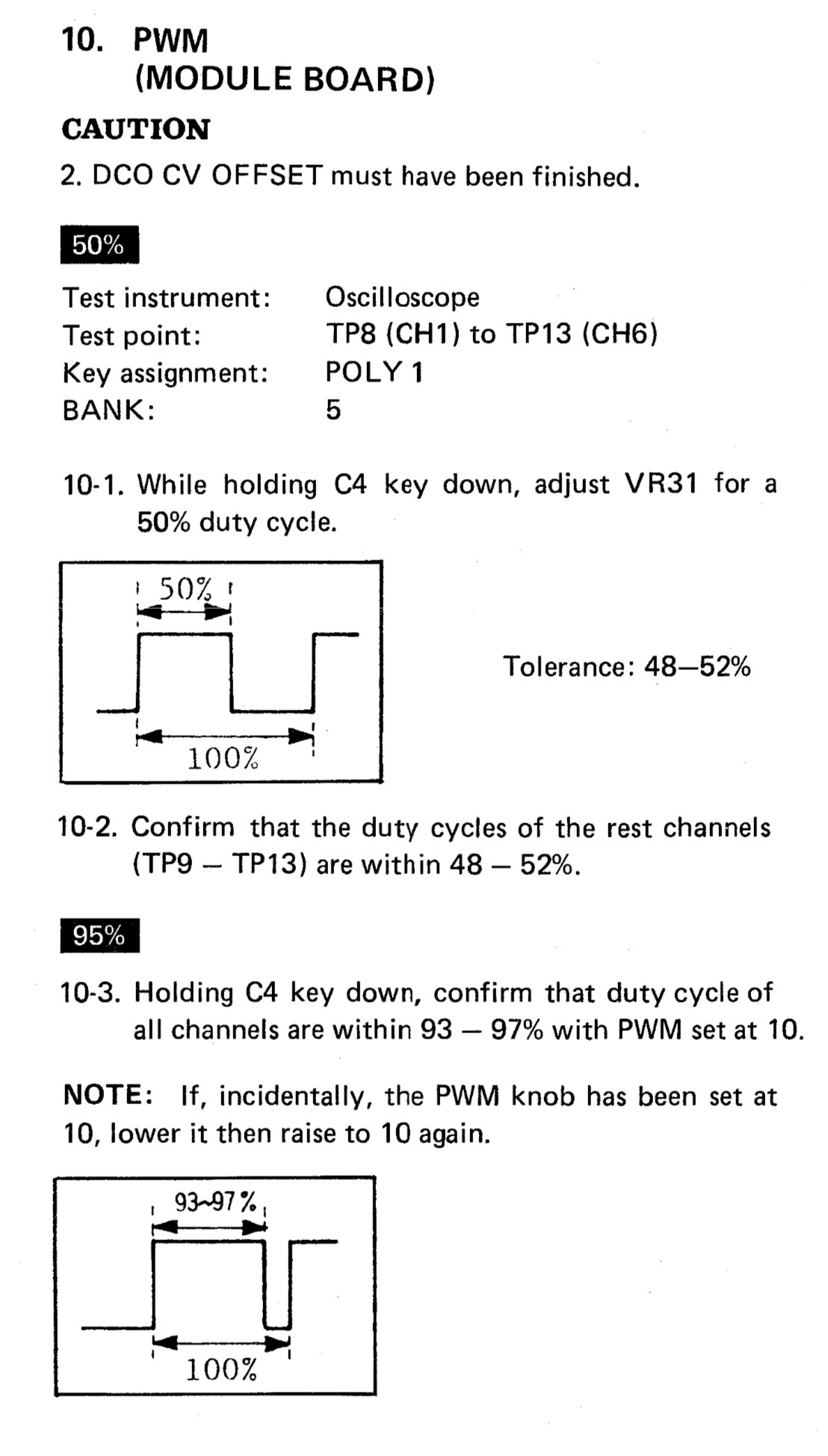
So I should be happy when a problem disappears, but I don’t like it when I don’t understand what changed. This is to say, after re-scoping the power rails, and the relevant inputs and outputs of ICs 17, 18 & 23 (which, BTW, now look like nice flat lines when AC coupled, instead of sine waves), the outputs of the voice modules now produce a nice square wave when doing the PWM duty cycle checks. I was able to successfully complete step 10 of the calibration procedures in the Service Notes. But I hate not knowing why the problem just disappeared. Previous to this I tried multiple scope modules in my Tek TM 500 setup, and multiple probes, all with the same faulty result. Now it works. Anyway, the only wrinkle is it looks like my duty cycle waveform is inverted. So for step 10-3, the 95% duty cycle check, of course the instructions present the waveform below:

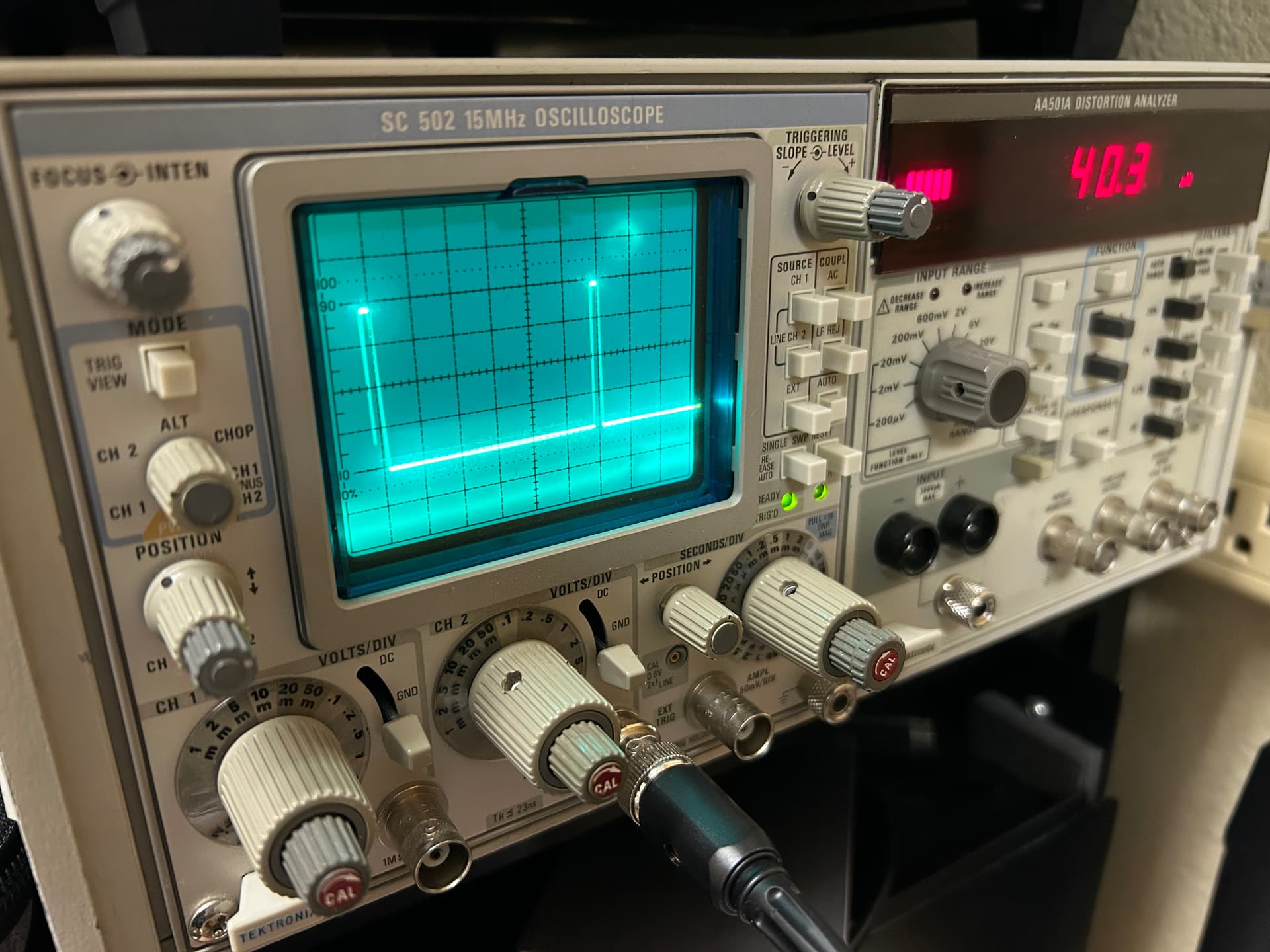
My scope display looks as posted below, which looks inverted.

All controls on the control panel were set as per the Service Notes, including the filter phase control. I’m thinking I don’t need to worry about this, but, me being me I can’t just truly let it go so I’m mentioning it here.

You don’t need to worry about this. It’s got to do with the triggering on your scope. It looks fine

1 Like

Ahhh okay. Gotcha. Thank you.

So I finished all calibration steps including the chorus bias.

Question: when the chorus is switched on it’s definitely noisy. But I can really hear the noise in the headphone output. Is this normal? A. for it to be much more pronounced in the headphone output compared to the line outputs, and B. for it to be noticeably noisy when you switch either chorus mode on?

Yes it is totally normal for headphone output to be noisier than the line outs. You’ll find it’s the same on most synths. Whether the chorus is too noisy is a matter of preference, the BBD chips age with use and a little bit of noise is actually better than none but that’s my personal taste. If it sounds like a day on a surf beach when you engage it and you haven’t even pressed a key it’s time to change them. You get the reissue Xvive3009 from Cabintech they work and sound exactly the same but you must do the full calibration to get the best results.

Thank you…very helpful.

When you state “full calibration” you’re not talking about the voice module calibration right? Just the calibration steps related to the chorus circuit? I just completed a full calibration, and I certainly understand needing to re-check/adjust the chorus bias if the BBD chips are replaced, but does that necessitate recalibration of the voice modules?

Yes just the chorus circuit needs to be recalibrated if you replace the BBD chips

1 Like

Cool. Thanks so much!

FWIW I replaced the BBD ICs (8 & 10) with the Xvive MN3009 direct from Cabin Tech…decent price, fast ship, sounds great, and the noise floor with the chorus engaged is much lower. Thanks for the guidance.

3 Likes