Kurzweil PC3LE8 – Intermittent Failure of 8–10 Consecutive Middle Keys with Fatar TP/40L
I have an intermittent problem where about 8 to 10 consecutive keys in the middle of the keyboard suddenly stop working.
What I’ve observed:
The keyboard can work perfectly normally for an extended period.
Then, apparently without warning, a contiguous group of about 8-10 adjacent keys stops working.
The problem is not affecting random individual keys; it is only a continuous section of the keyboard. Everything else besides this section works perfectly.
The problem has happened after transporting the keyboard between my home and rehearsal studio.
Most importantly, a sudden movement/knock to the keyboard body can sometimes make the affected keys start working again immediately.
Afterward, the keyboard can once again work perfectly, including all of the previously dead keys.
So far, the problem has been intermittent rather than permanent.
I don’t think it is simply dust or dirt under the key contacts, because the entire group can recover immediately after mechanical movement.
I used the keyboard’s diagnostic mode when the problem occurred. Even when the affected keys were still not working, they showed up as values on the diagnostic.
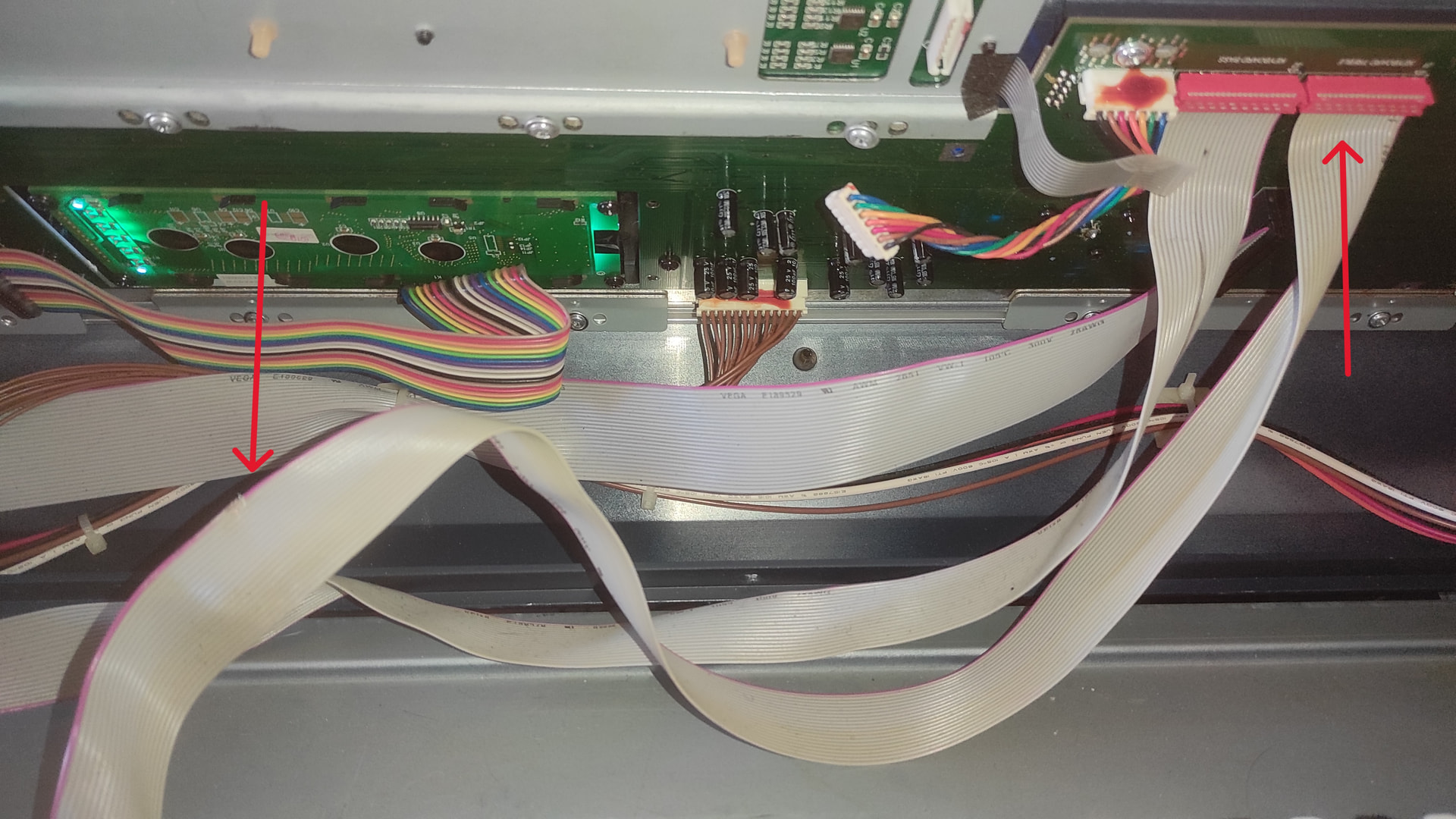
The keyboard has two grey 40-conductor ribbon cables with 2×20 IDC-style connectors connecting the TP/40L keyboard assembly to the electronics.
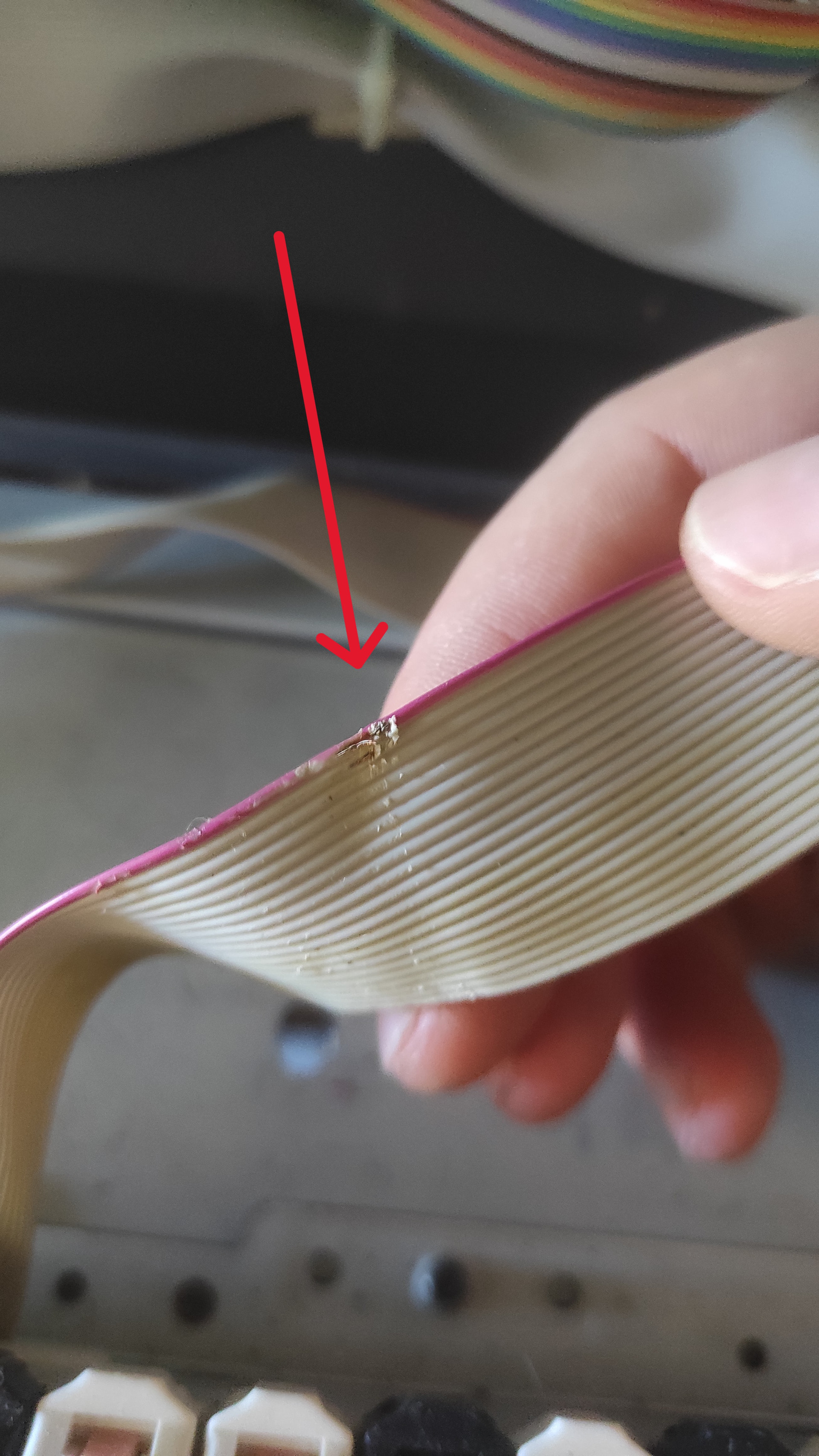
I can maybe see some slight damage to the insulation of one of the ribbon cables. Could this potentially cause a short circuit? And if it did, would that explain a whole section of keys not playing?
Has anyone encountered this specific behavior on a PC3LE8 or with a Fatar TP/40L generally?
[Edit] When I say the keys stop working, I mean there is no sound at all coming from those specific keys.
Sounds like a broken data line common to the group of keys. IF intermittent I would start with removing the contact board that contains the group of dead notes and check with a volt meter continuity by following each trace line from the effected keys. First find which trace is common to all problematic keys then once found check that line for continuity from and to the ribbon cable that leaves the contact board. If all looks well then the IC that is relaying the data might have a cold solder joint of has gone bad. Off the top of my head I don’t know if the contact board has something like LS74138 or HC40138 IC’s on it but if so they may also be the issue. Good luck!
So I took the hard decision to disassemble the keyboard and initially I tried to spot if there was anything wrong with the cables or the plugs. The keyboard was turned on so I could simultaneously test the dead section (I know this is not generally recommended but my volt meter died the other day so I didn’t have any other way to check). Even after I had the keyboard completely opened, it was still playing with no problems.
Then I spotted this ribbon cable being partially damaged (see pictures below). It is the cable that connects the treble part of the keyboard to the main board. I started moving it while playing simultaneously and boom! The dead section in middle stopped responding, and if I’d move it again, it would start playing. So ultimately it appears that I found what caused the issue.
I isolated the damaged part (which was the red cable, I think this is the ground cable) from the rest of the cables with electrical tape so I could only see the damaged part, I soldered a little “blob” there, and then I insulated everything. It works (even if I shake the cable completely, which wasn’t the case before) but of course this was just a temporary and makeshift solution. I need to find the replacement part and I don’t know if this is a universal cable or something more specific for this board. I can see " Vega E189529 AWM 2651 " written on the cable, but from what I can find online, this cable can be found with different plugs so maybe I need to find it specifically for Kurzweil. Any tips for this?
Lastly, a comment that I’d like to add is that I was very surprised about the fact that even though the (red) ground part of the cable was damaged (meaning it was like it was completely cut at specific angles) only a section of the treble part of the keyboard would stop working. I would swear that if you asked me what would happen if you cut the ground cable responsible for the whole upper half of the keyboard, I would think the whole upper half of the keyboard wouldn’t work. It is a bit counter-intuitive for me that apparently this is not necessary. Grounding issues might be trickier than what I thought, but again this is me being an electronics amateur.