Hello
I have Roland E70 intelligent synth and when i on it , its goes to test mode and no response afterwards. not button are working . any idea?
TEST mode is activated when you press the MENU button during power-up. This means that the MENU button is permanently active.
Try to activate TEST mode; see the attached operating instructions. There is a section for testing the buttons.
If you can activate the TEST mode, it may simply be the MENU button that has a problem. Try pressing it several times to free it.
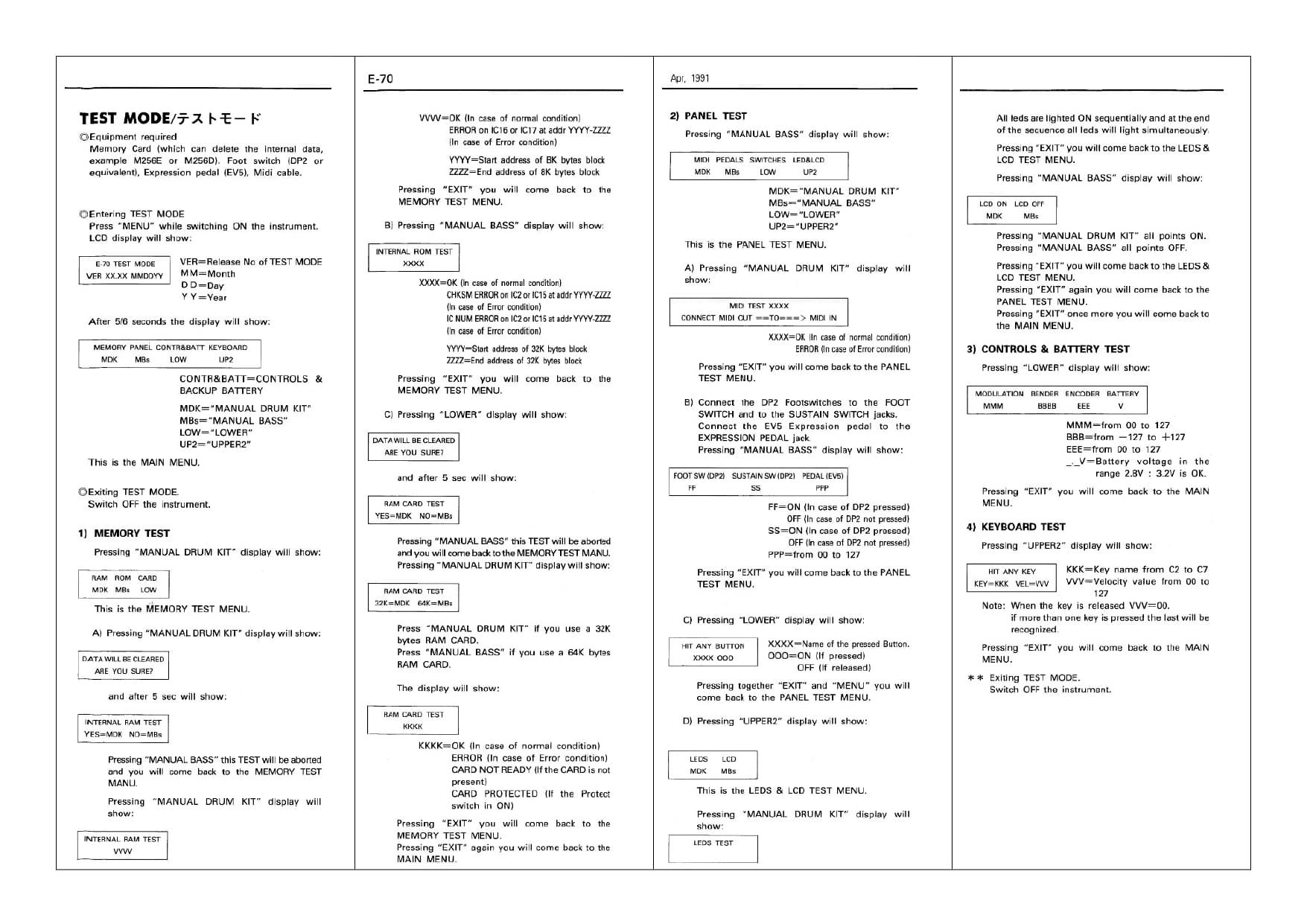
Well ever no connection to buttons , still this goes to test mode. i have disconnect up to gate array IC but no luck
Found this,
I thought it was a good idea to replace the lithium back up battery after close to 20 years. WRONG. Doing so lost the S-RAM inside. I found instructions on how to reload the S-RAM, but it requires the “Roland D-70 Factory Preset card.” Can anyone help?
Go to this site
and download the file third down on the list called
Factory Patches (D-series, JUNO-1&2, MKS-series, U-series, GP-8, GR-50)
This archive contains the .mid files for loading the original Factory Patches for the D-5, D-10, D20, D-50, D-70, D-110, GP-8, GR-50, Juno-1, Juno-2, MKS-50, MKS-70, MKS-80, U-20 and U-220.
It contains folder called D70 which has the file you need called D70_ORIG.MID
It contains instructions which are:
Loading Instructions for the D-70 Super LA Synthesizer
-
Turn off the unit and hold down the Number 5 button while powering up. This puts the unit in Extended Product Mode.
-
Select F2 (Load) and press Enter.
-
Play data in from Media Player or your sequencer.
-
After loading turn the D-70 off and on again.
I reloaded my D-70 with this file, though mine wasn’t totally blitzed. Works fine. Obviously any of your custom patches are gone.
So check the status of your battery, and replace it if its below voltage or dead first, then try the above.
