I think I need to remove keyboard from base, turn it upside down in soft surface, remove 4 screws in corners, turn back right side up, lift off cover…then what? I want to access, check, and clean the potentiometer of dust or corrosion. Can I clean it with 90% isopropyl alcohol using a Q-tip? Anything else I should clean or check while I’m in there?
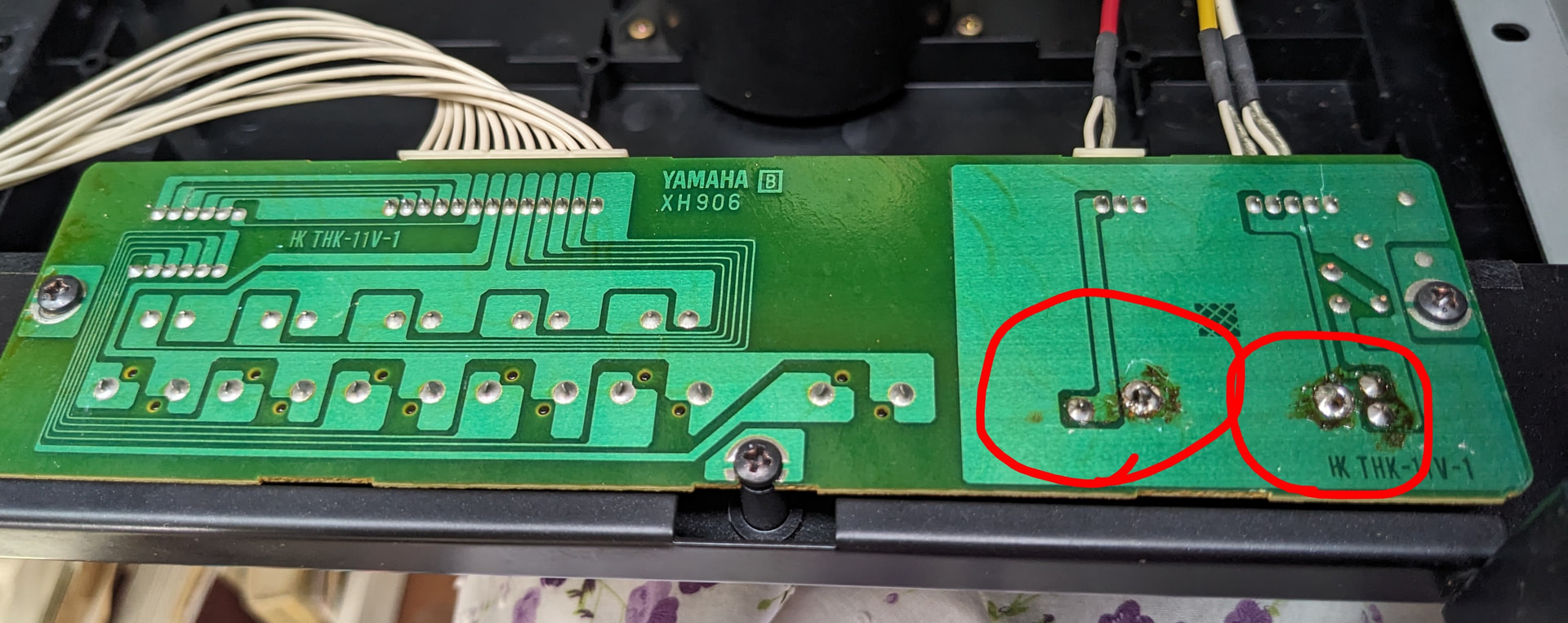
I opened up the Clavinova CLP-260, and vacuumed out the volume slider. Is that slide what is called the potentiometer? If so is that where I drop in WD40 or 90% isopropyl alcohol to clean it? Or something else? Here are pictures of what I found. Are the contacts in the red circles corroded? Can I also clean them with alcohol or WD40?
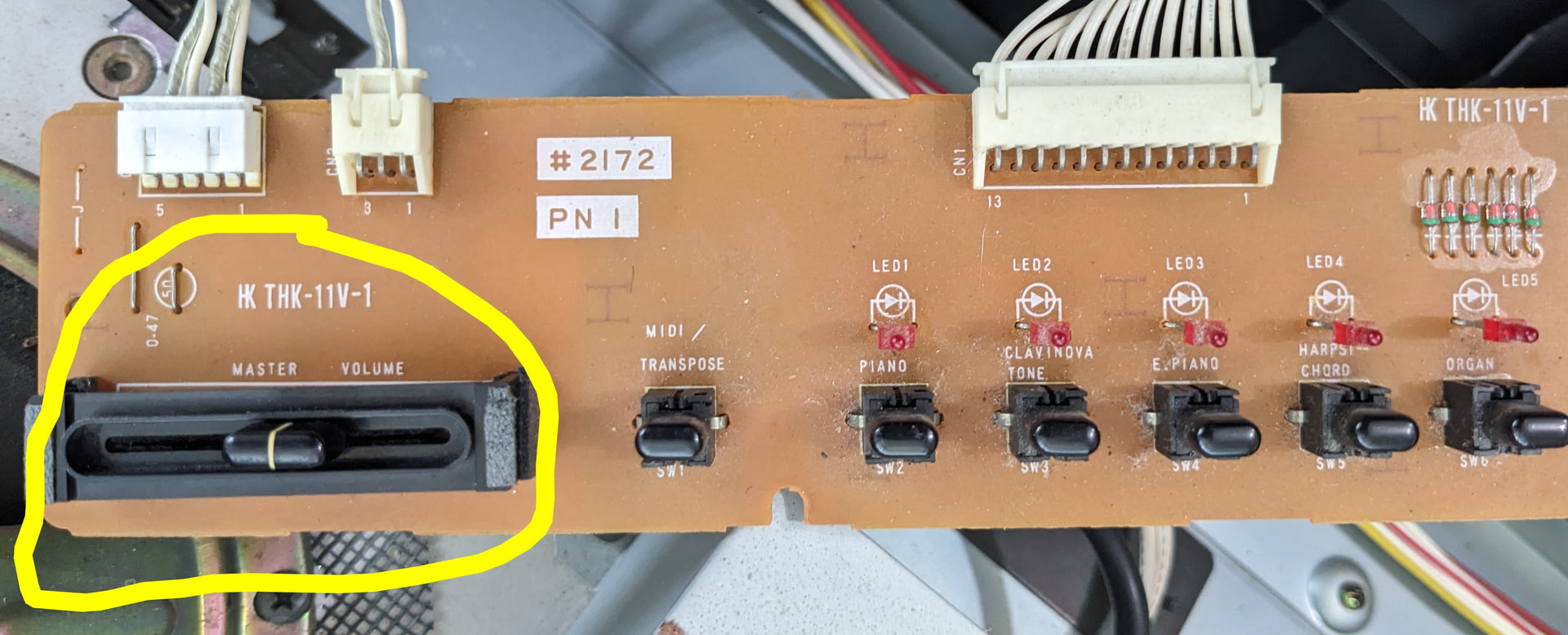
Here is a picture of the slider (circled in yellow) on this Clavinova on the other side of the board from the contacts that look corroded. Is this the potentiometer where I drop in the cleaner? If so, I didn’t really need to open it up to drop it in.
Looks like at least one cold (bad) solder joint on the back and the “corrosion” may be flux residue from a previous repair in that area.
1 Like
Try to find a replacement and solder in a new one. The part number might be on the side, or in the service manual? Syntaur may sell one or Aliexpress